5 Best Finder Alternatives for Mac in 2026: Modern File Managers Compared
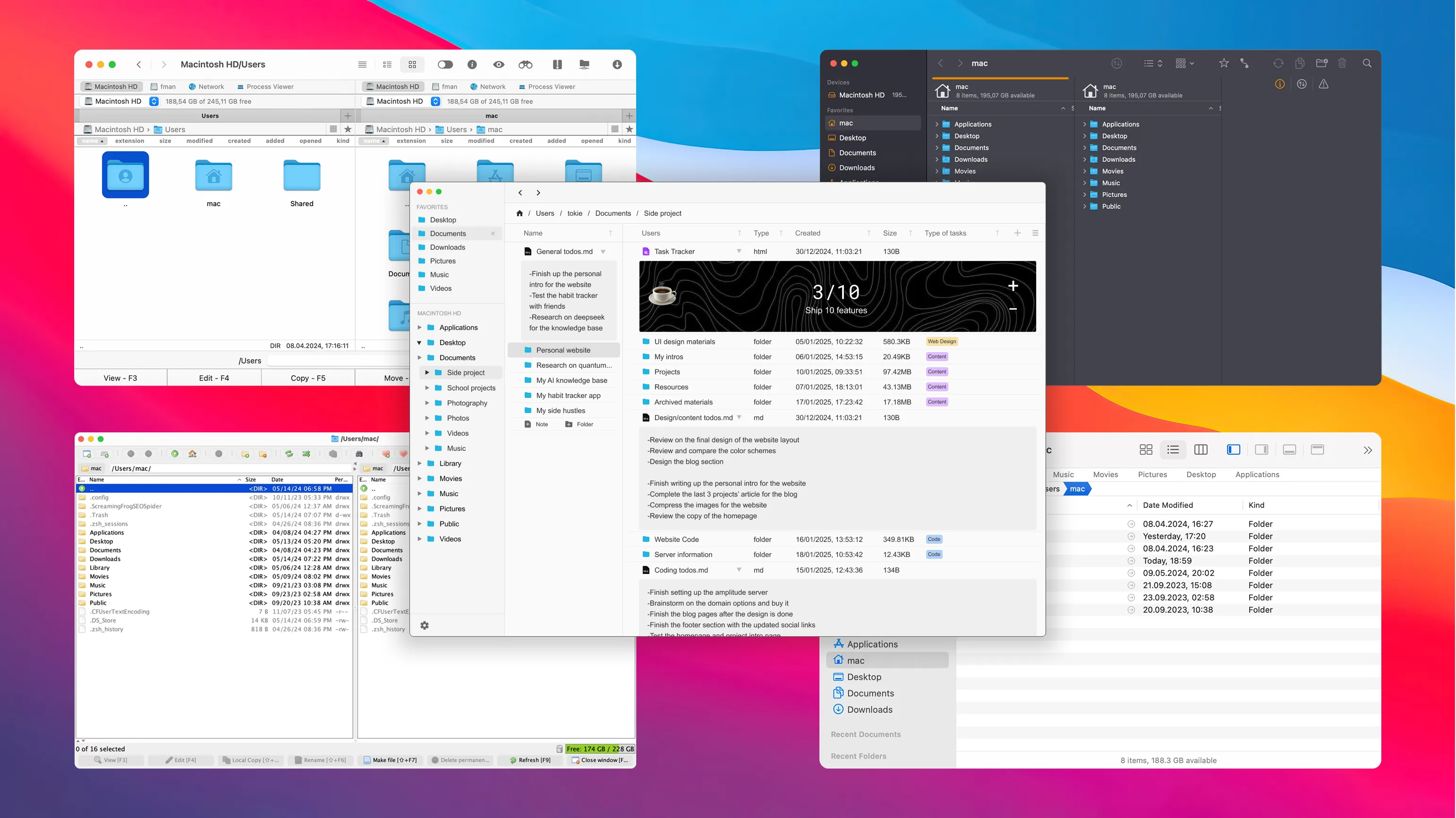
5 Best Finder Alternatives for Mac in 2026
macOS Finder is still great for basic file browsing—but teams and creators in 2026 usually need more: metadata, smarter search, quick previews, remote access, and workflow context right where files live.
If your daily work includes content ops, client handoffs, code assets, and cloud/server sync, a Finder alternative can save real time.
Below are 5 strong options in 2026, including traditional dual-pane file managers and a newer “workspace-style” approach.
1. Tokie – Turn Folders into Structured Workspaces

Overview:
Tokie is a modern Mac file manager built for project workflows, not just file lists. You can keep files local while adding structure with labels, custom fields, inline notes, and web side panels.
What’s notable in 2026:
- Better support for folder-as-database workflows
- Faster inline previews for mixed project assets
- Improved local-first organization for teams that avoid cloud lock-in
Pros:
✅ Great for content, research, and multi-step project work
✅ Brings modern app-style structure to native folders
✅ Local-first and offline-friendly
Cons:
❌ Different mental model than classic Finder replacements
❌ Best fit when you want workflow structure, not just file transfer
Best for:
Creators, founders, marketers, and dev teams who want files + context in one place.
2. Path Finder – Deep Control for Power Users

Overview:
Path Finder remains a heavy-duty option for users who want granular control, advanced file operations, and a highly customizable interface.
What’s notable in 2026:
- Still one of the most feature-rich Finder replacements
- Good for advanced users handling batch operations and technical workflows
Pros:
✅ Extremely powerful and configurable
✅ Strong for advanced file operations
Cons:
❌ Can feel dense for casual users
❌ UI complexity is still a tradeoff
Best for:
Power users and technical operators who prioritize control over simplicity.
3. Commander One – Reliable Dual-Pane + Remote Access

Overview:
Commander One continues to serve users who rely on dual-pane workflows and regular remote transfers.
What’s notable in 2026:
- Stable choice for FTP/SFTP/WebDAV-heavy work
- Fits teams moving assets between local and cloud/server environments
Pros:
✅ Strong remote transfer support
✅ Familiar dual-pane productivity style
Cons:
❌ Less focused on modern project context features
❌ Primarily optimized for transfer/navigation workflows
Best for:
Developers, ops users, and teams working across local + remote storage.
4. ForkLift – Polished File Transfer Workflow

Overview:
ForkLift is still a polished Mac-native option with great remote file management and sync capabilities.
What’s notable in 2026:
- Remains one of the cleanest UI experiences among transfer-focused tools
- Strong choice for regular SFTP/cloud sync routines
Pros:
✅ Smooth macOS experience
✅ Excellent remote file movement and sync
Cons:
❌ Not designed as a structured workspace tool
❌ Fewer built-in metadata/database-style workflow features
Best for:
Users who want speed, polish, and frequent remote file operations.
5. muCommander – Lightweight and Cross-Platform

Overview:
muCommander remains a lightweight, open-source option for users who care about portability and consistency across systems.
What’s notable in 2026:
- Still attractive for low-overhead and cross-platform use
- Practical fallback for simple, no-frills file management
Pros:
✅ Lightweight and fast
✅ Cross-platform consistency
Cons:
❌ Minimal modern UX polish
❌ Limited advanced workflow features
Best for:
Users who need a simple, portable file manager across different operating systems.
📊 Quick Comparison (2026)
| Feature | Tokie | Path Finder | Commander One | ForkLift | muCommander |
|---|---|---|---|---|---|
| Dual-pane workflow | ✅ | ✅ | ✅ | ✅ | ✅ |
| Remote protocols (FTP/SFTP/WebDAV) | ⚪ | ⚪ | ✅ | ✅ | ✅ |
| Structured metadata workflow | ✅ | ⚪ | ❌ | ❌ | ❌ |
| Local-first project context | ✅ | ⚪ | ❌ | ❌ | ❌ |
| Cross-platform | ❌ | ❌ | ❌ | ❌ | ✅ |
⚪ = available depending on setup/workflow, but not primary product focus.
Final Take
If your priority is remote transfer and classic dual-pane efficiency, Commander One and ForkLift are still reliable in 2026. If you want deep file control, Path Finder remains a strong power-user option.
But if you want folders to work more like modern project tools—with structure, context, and local-first workflows—Tokie is the most future-facing Finder alternative in this list.
Ready to try Tokie?
Transform your file management experience with Tokie's powerful features.